: hexdump 명령은 파일의 내용을 16진수/10진수/8진수/아스키로 화면에 표시하는 명령입니다.
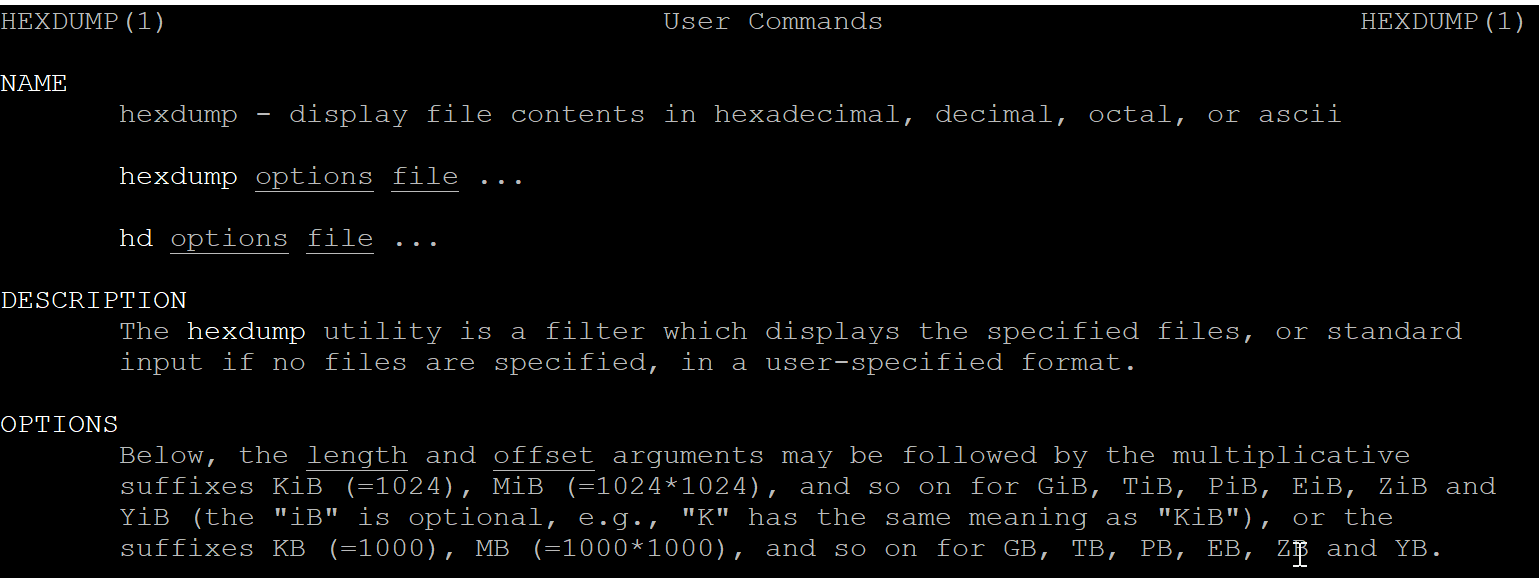
목차
| 옵션 | 설명 | 기타 |
| -b, --one-byte-octal | 한 바이트 8진수 출력 옵션 | ex> 0000000 110 145 154 154 157 012 |
| -c, --one-byte-char | 한 바이트 문자 출력 옵션 | ex> 0000000 H e l l o \n |
| -C, --canonical | hex + ascii 표시 옵션 | ex> 00000010 31 32 33 34 0 |1234.| |
| -d, --two-bytes-decimal | 10진수 2바이트 표시 옵션 | ex> 0000010 12849 13363 00010 |
| -e, --format format string | 커스텀 format 형식 지정 옵션 | ex> '8/2 "0x%x, " "\n"' |
| -f, --format-file file | file 에서 가져온 정보를 format string으로 해석하는 옵션 | -e 옵션에서 ' 만 제거한 파일 |
| -L, --color[=when] | 특정 패턴/문자에 색깔 넣는 옵션 | -Lalways -e ' 8/1 "%4_c_L[green:'N',blue:'P',red:3] " ' |
| -n, --length length | length 크기까지만 출력 옵션 | 세부항목 참조 |
| -o, --two-bytes-octal | 8진수 2바이트 출력 옵션 | 세부항목 참조 |
| -s, --skip offset | offset 크기만큼 input 에서 생략 하는 옵션 | 세부항목 참조 |
| -v, --no-squeezing | 동일 문자 반복시 생략되는 * 대신 모든 문자 표시 옵션 | 세부항목 참조 |
| -x, --two-bytes-hex | 16진수 2바이트 출력 옵션 | 세부항목 참조 |
옵션
-b, --one-byte-octal
: 한바이트 8진수 표시 옵션

$ echo Hello | hexdump
0000000 6548 6c6c 0a6f
0000006

$ echo Hello | hexdump -b
0000000 110 145 154 154 157 012
0000006
> 8진수 110 (1x8^2 + 1 x8 ==> 72 (10진수) ==> 0x48 (16진수)
-c, --one-byte-char
: 한비이트 문자 출력 옵션 , 각 문자당 3 column 을 차지 하며 빈공간은 공백을 넣어줍니다.

$ echo Hello | hexdump -c
0000000   H   e   l   l   o  \n
0000006


$ echo "Hello 12345678901234" | hexdump -c
0000000   H   e   l   l   o       1   2   3   4   5   6   7   8   9   0
0000010   1   2   3   4  \n
-C, --canonical
: 16진수 + 문자 출력 옵션

$ echo "Hello 12345678901234" | hexdump -C
00000000  48 65 6c 6c 6f 20 31 32  33 34 35 36 37 38 39 30  |Hello 1234567890|
00000010  31 32 33 34 0a                                    |1234.|
00000015
-d, --two-bytes-decimal
: 2바이트 10진수 표시 옵션 총 5바이트

$ echo "Hello 12345678901234" | hexdump -d
0000000   25928   27756   08303   12849   13363   13877   14391   12345
0000010   12849   13363   00010
0000015
> 25928 ==> 0x6548 ==> 0x65 (e) , 0x48(H)
-e, --format format string
: format string 형식에 의한 출력 ('interation count / byte count "format string" "반복완료시 들어갈 format string"')

>> 1바이트 단위로 반복/바이트 크기 출력

$ echo "12345678901234" | hexdump -e '1/1 "0x%x,"'
0x31,0x32,0x33,0x34,0x35,0x36,0x37,0x38,0x39,0x30,0x31,0x32,0x33,0x34,0xa, ~$

>> 아이템 4개 단위로 개행 추가
$ echo "12345678901234" | hexdump -e '4/1 "0x%x," "\n"'
0x31,0x32,0x33,0x34,
0x35,0x36,0x37,0x38,
0x39,0x30,0x31,0x32,
0x33,0x34,0xa,0x,

>> 아이템 8개 크기는 2bytes 단위로 출력하기
$ echo "123456789012345678901234" | hexdump -e '8/2 "0x%x," "\n"'
0x3231,0x3433,0x3635,0x3837,0x3039,0x3231,0x3433,0x3635,
0x3837,0x3039,0x3231,0x3433,0xa,0x,0x,0x,

>> 크기 4바이트 단위로 2개단위로 출력 하기 (개행 추가)
$ echo "123456789012345678901234" | hexdump -e '2/4 "0x%x," "\n"'
0x34333231,0x38373635,
0x32313039,0x36353433,
0x30393837,0x34333231,
0xa,0x,


>> 개행부분에 -e 옵션을 다시 적어서 출력 가능합니다.
$ echo "123456789012345678901234" | hexdump -e '2/4 "0x%x," ' -e '"\n"'
0x34333231,0x38373635,
0x32313039,0x36353433,
0x30393837,0x34333231,
0xa,0x,

>> 10진수로 출력하기
$ echo "123456789012345678901234" | hexdump -e '2/2 "%d, " "\n"'
12849, 13363,
13877, 14391,
12345, 12849,
13363, 13877,
14391, 12345,
12849, 13363,
10, ,

>> 개행대신 탭으로 구분하기
$ echo "123456789012345678901234" | hexdump -e '2/2 "%x, " "\t"'
3231, 3433,     3635, 3837,     3039, 3231,     3433, 3635,     3837, 3039,     3231, 3433,     a, ,    ~$

>> 1바이트 16진수로 16개 후 개행하기
$ head -c 400 byte_0_255_rep.dat | hexdump -e '16/1 "%02x " "\n"'
00 01 02 03 04 05 06 07 08 09 0a 0b 0c 0d 0e 0f
10 11 12 13 14 15 16 17 18 19 1a 1b 1c 1d 1e 1f
20 21 22 23 24 25 26 27 28 29 2a 2b 2c 2d 2e 2f
30 31 32 33 34 35 36 37 38 39 3a 3b 3c 3d 3e 3f
40 41 42 43 44 45 46 47 48 49 4a 4b 4c 4d 4e 4f
50 51 52 53 54 55 56 57 58 59 5a 5b 5c 5d 5e 5f
60 61 62 63 64 65 66 67 68 69 6a 6b 6c 6d 6e 6f
70 71 72 73 74 75 76 77 78 79 7a 7b 7c 7d 7e 7f
80 81 82 83 84 85 86 87 88 89 8a 8b 8c 8d 8e 8f
90 91 92 93 94 95 96 97 98 99 9a 9b 9c 9d 9e 9f
a0 a1 a2 a3 a4 a5 a6 a7 a8 a9 aa ab ac ad ae af
b0 b1 b2 b3 b4 b5 b6 b7 b8 b9 ba bb bc bd be bf
c0 c1 c2 c3 c4 c5 c6 c7 c8 c9 ca cb cc cd ce cf
d0 d1 d2 d3 d4 d5 d6 d7 d8 d9 da db dc dd de df
e0 e1 e2 e3 e4 e5 e6 e7 e8 e9 ea eb ec ed ee ef
f0 f1 f2 f3 f4 f5 f6 f7 f8 f9 fa fb fc fd fe ff
00 01 02 03 04 05 06 07 08 09 0a 0b 0c 0d 0e 0f
10 11 12 13 14 15 16 17 18 19 1a 1b 1c 1d 1e 1f
20 21 22 23 24 25 26 27 28 29 2a 2b 2c 2d 2e 2f
30 31 32 33 34 35 36 37 38 39 3a 3b 3c 3d 3e 3f
40 41 42 43 44 45 46 47 48 49 4a 4b 4c 4d 4e 4f
50 51 52 53 54 55 56 57 58 59 5a 5b 5c 5d 5e 5f
60 61 62 63 64 65 66 67 68 69 6a 6b 6c 6d 6e 6f
70 71 72 73 74 75 76 77 78 79 7a 7b 7c 7d 7e 7f
80 81 82 83 84 85 86 87 88 89 8a 8b 8c 8d 8e 8f


>> -C 명령 흉내내기
$ echo "123456789012345678901234 Hello World" | hexdump -e '"%07.7_ax\t"' -e '16/1 "%x " " |"' -e '16/1 "%_p" "|\n"'
0000000 31 32 33 34 35 36 37 38 39 30 31 32 33 34 35 36 |1234567890123456|
0000010 37 38 39 30 31 32 33 34 20 48 65 6c 6c 6f 20 57 |78901234 Hello W|
0000020 6f 72 6c 64 a            |orld.|
-f, --format-file
: -e 옵션의 내용을 file 로 저장해서 사용 (# 으로 시작하거나 텅빈 라인은 무시됩니다.)

>> 아래처럼 hexdump_cfg.bin 파일을 작성해주세요. ('' 만 제거하면 됨.)
$ cat hexdump_cfg.bin
"%07.7_ax\t"
16/1 "%x " " |"
16/1 "%_p" "|\n"

>> hexdump_cfg.bin 파일 사용하기
$ echo "123456789012345678901234 Hello World" | hexdump -f hexdump_cfg.bin
0000000 31 32 33 34 35 36 37 38 39 30 31 32 33 34 35 36 |1234567890123456|
0000010 37 38 39 30 31 32 33 34 20 48 65 6c 6c 6f 20 57 |78901234 Hello W|
0000020 6f 72 6c 64 a            |orld.|


$ cat hexdump_cfg.bin

#"%07.7_ax\t"
16/1 "%x " " |"
16/1 "%_p" "|\n"

$ echo "123456789012345678901234 Hello World" | hexdump -f hexdump_cfg.bin
31 32 33 34 35 36 37 38 39 30 31 32 33 34 35 36 |1234567890123456|
37 38 39 30 31 32 33 34 20 48 65 6c 6c 6f 20 57 |78901234 Hello W|
6f 72 6c 64 a            |orld.|
-L,--color
: 특정 패턴에 색깔 지정 옵션

$ echo "123456789012345678901234 Hello World" | hexdump -e ' 8/1 "%4_c_L[green:0x30,blue:0x35,red:0x37] " "\n"'

>> auto

>> never

>> always

> hexa 값이 아닌 문자 사용시 '' 사용해도 됩니다.

-n, --length
: 사이즈 를 추가해 표시할 데이타 갯수 지정 옵션

>> 한줄에 32개의 아이템을 넣고 아이템 한개 크기는 1 바이트 , 표시 형식은 hexa, 아이템 32개시 개행추가
~$ echo "123456789012345678901234567890" | hexdump -e '32/1 "%x " "\n"'
31 32 33 34 35 36 37 38 39 30 31 32 33 34 35 36 37 38 39 30 31 32 33 34 35 36 37 38 39 30 a

>> 30 바이트 출력,
~$ echo "123456789012345678901234567890" | hexdump -e '32/1 "%x " "\n"' -n 30
31 32 33 34 35 36 37 38 39 30 31 32 33 34 35 36 37 38 39 30 31 32 33 34 35 36 37 38 39 30

>> 20 바이트 출력
~$ echo "123456789012345678901234567890" | hexdump -e '32/1 "%x " "\n"' -n 20
31 32 33 34 35 36 37 38 39 30 31 32 33 34 35 36 37 38 39 30

>> 10 바이트 출력
~$ echo "123456789012345678901234567890" | hexdump -e '32/1 "%x " "\n"' -n 10
31 32 33 34 35 36 37 38 39 30
-o, --two-bytes-octal
: 8진수 2 바이트 표시 옵션

~$ echo "123456789012345678901234567890" | hexdump -e '32/2 "%x " "\n"' -n 10
3231 3433 3635 3837 3039

>> 2바이트 8진수 출력옵션
~$ echo "123456789012345678901234567890" | hexdump -o -n 10
0000000  031061  032063  033065  034067  030071
000000a

>> 2바이트 십진수 출력 옵션
$ echo "123456789012345678901234567890" | hexdump -d -n 10
0000000   12849   13363   13877   14391   12345
000000a
>> 0x3231 (16진수) == 31061 (8진수) == 12849 (10진수)
-s, --skip
: input 의 시작부터 Offset 만큼 스킵하는 옵션

~$ hexdump file.bin
0000000 6548 6c6c 006f 57ff 726f 646c 0a0a
000000e

>> 시작 4바이트 스킵옵션
~$ hexdump -s 4 file.bin
0000004 006f 57ff 726f 646c 0a0a
000000e
-v, --no-squeezing
: 모든 input data 출력 옵션 ( 동일 데이타 반복시 * 표시후 생략되는 부분까지 표시해 줍니다.)

$ hexdump -x b.txt
0000000    3030    3030    3030    2030    2020    3631    3639    2031
0000010    2020    3731    3734    2035    2020    3731    3839    2039
~~~ 중략 ~~~
0000060    2020    2020    2020    2020    2020    2020    2020    2020
*
0000080    2020    2020    2020    2020    2020    2020    2020    0a20
0000090    3030    3030    3130    0a34
0000098

>> b.txt 의 offset 0x70 부분이 * fh
$ hexdump -v -x b.txt
0000000    3030    3030    3030    2030    2020    3631    3639    2031
0000010    2020    3731    3734    2035    2020    3731    3839    2039
~~~ 중략 ~~~
0000060    2020    2020    2020    2020    2020    2020    2020    2020
0000070    2020    2020    2020    2020    2020    2020    2020    2020
0000080    2020    2020    2020    2020    2020    2020    2020    0a20
0000090    3030    3030    3130    0a34
0000098
-x, --two-bytes-hex
: 16진수 2바이트 출력 옵션

:~$ echo "123456789012345678901234567890" | hexdump -d -n 10
0000000   12849   13363   13877   14391   12345
000000a

2바이트 16진수 출력 옵션
:~$ echo "123456789012345678901234567890" | hexdump -x -n 10
0000000    3231    3433    3635    3837    3039
000000a
-V, --version
$ hexdump -V
hexdump from util-linux 2.37.2
-h, --help
: 도움말 표시
o$ hexdump --help

Usage:
 hexdump [options] <file>...

Display file contents in hexadecimal, decimal, octal, or ascii.

Options:
 -b, --one-byte-octal      one-byte octal display
 -c, --one-byte-char       one-byte character display
 -C, --canonical           canonical hex+ASCII display
 -d, --two-bytes-decimal   two-byte decimal display
 -o, --two-bytes-octal     two-byte octal display
 -x, --two-bytes-hex       two-byte hexadecimal display
 -L, --color[=<mode>]      interpret color formatting specifiers
                             colors are enabled by default
 -e, --format <format>     format string to be used for displaying data
 -f, --format-file <file>  file that contains format strings
 -n, --length <length>     interpret only length bytes of input
 -s, --skip <offset>       skip offset bytes from the beginning
 -v, --no-squeezing        output identical lines

 -h, --help                display this help
 -V, --version             display version

Arguments:
 <length> and <offset> arguments may be followed by the suffixes for
   GiB, TiB, PiB, EiB, ZiB, and YiB (the "iB" is optional)

For more details see hexdump(1).
<기타>